From brief to moodboard: a repeatable generative workflow for design teams
A step-by-step workflow for using image generators at the ideation stage, with the checkpoints that keep the output usable, original and documented.

KEY TAKEAWAYS Summary by the editors
- Generative image tools are most useful at the ideation and moodboarding stage, where they can suggest unexpected palettes, motifs and silhouettes without committing the team to production.
- A 2025 academic paper on generative AI in fashion design reports that some studios keep prompt banks alongside traditional collage boards rather than replacing them.
- The same paper warns of a data monoculture that narrows aesthetics, plus bias, deskilling and copyright disputes, so a workflow needs human curation steps.
- US Copyright Office guidance from January 2025 says prompts alone do not give enough control to make a user the author, so teams should keep records of human selection and editing.
- Under the EU AI Act, Article 50 transparency duties are set to apply from 2 August 2026, with lighter disclosure rules for evidently creative works, so teams should decide early how they label AI-generated imagery.
A repeatable generative moodboard workflow has six stages: write a structured brief, build a reference set, generate in controlled rounds, curate by hand, check originality and rights, and hand over to development with a record of what was used. The aim is not speed alone. It is to make AI-assisted ideation consistent enough that two designers on the same team get comparable results, and that the company can explain how an image came about.
Where does generative AI fit in the design process?
A 2025 paper by researchers from Sorbonne Université, the Institut Français de la Mode and others, written with contributors from LVMH and Obvious, examines two stages in particular: ideation and moodboarding, and prototyping and simulation. For ideation it reports that image generators can suggest unexpected colour palettes, motifs and silhouettes, and that some studios keep prompt banks alongside traditional collage boards. It also reports the opposite risk: prompting is hard, tools often misread precise wording, and efficient tools can steer users toward standardised forms.
That makes the moodboard stage a sensible place to start. Nothing is cut or sampled, so errors are cheap, and a human decides what survives. The same paper stresses that artisanal skills such as pattern making and toile evaluation remain essential, which is a reminder that the moodboard is an input to design, not a substitute for it.
How do you write a brief that a generative tool can use?
A brief written for people is often too loose for a model. Turn it into a short structured document before any prompting starts. It should state the season and category, the customer and price tier, three to five reference words for mood, the palette boundaries, the materials in scope, and the things to avoid. Keeping this document as a template means every designer starts from the same frame.
- Season, category, target customer and price tier.
- Mood words and the story in one or two sentences.
- Colour boundaries, including house colours that must not appear.
- Material and silhouette constraints that reflect what can actually be produced.
- Exclusions: named brands, artists, logos and motifs that are off limits.
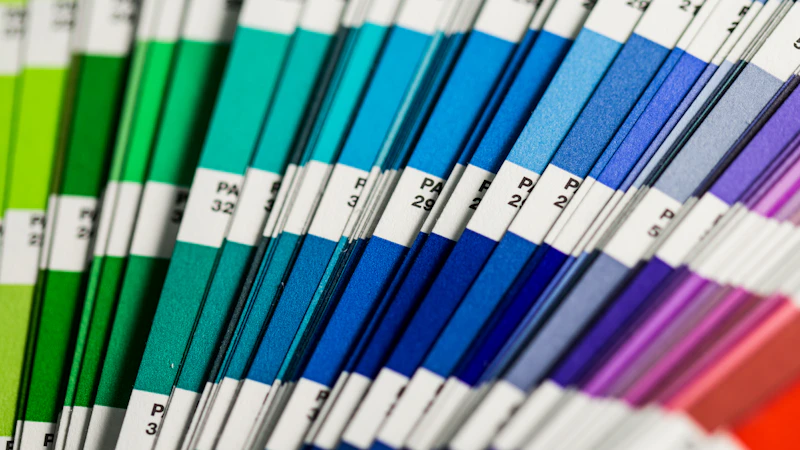
What is the six-step workflow?
- Structure the brief. Use the template above and have the design lead approve it.
- Build the reference set. Collect your own photographs, archive scans, fabric swatches and licensed images. Prefer material the company has the right to use as input.
- Generate in controlled rounds. Run a fixed number of rounds, change one variable at a time, and log the prompt and settings of every image that reaches the board.
- Curate by hand. A designer selects, crops, combines and annotates. Discard anything that looks like a known brand or artist.
- Check originality and rights. Run reverse image searches and a lookalike review before any image informs a product.
- Hand over to development. Attach the board, the prompt log and the list of human-made inputs to the style record.
Which risks need a checkpoint?
| Risk | What the sources say | Practical control |
|---|---|---|
| Aesthetic sameness | The 2025 design paper warns of a data monoculture that narrows aesthetics | Mix generated images with own photography, archive and street research |
| Bias in training data | Same paper lists biased training data among the ethical concerns | Review boards for who and what is represented; diversify references |
| Authorship gaps | US Copyright Office: prompts alone do not give sufficient control for authorship | Log human selection, editing and arrangement |
| Reproduction of existing work | European Parliament study notes outputs resembling training data may raise infringement questions | Reverse image search and a lookalike review |
| Transparency | EU AI Act Article 50 sets labelling and disclosure duties | Agree a labelling rule before images leave the studio |
What does the law mean for a moodboard?
Moodboards are internal working documents, so legal exposure is lower than for published campaign images. It is still worth setting rules early, because boards often become the origin of a print, a cut or a campaign. On authorship, the US Copyright Office concluded in January 2025 that prompts alone do not give users sufficient control to be authors, while creative selection, arrangement and modification can be protected. Logging those human decisions during the board stage costs little and may matter later.
On transparency, Article 50 of the EU AI Act requires providers of generative systems to mark synthetic outputs in a machine-readable way and requires deployers to disclose deepfakes. For evidently artistic or creative work the duty is limited to disclosing the existence of the content in a way that does not hamper its enjoyment. The Regulation lists 2 August 2026 as the date of application for these duties, though teams should check the current legal position, because timelines in this area have been under discussion. Most moodboard images never leave the building, but any that reach a lookbook, social post or supplier pack should follow the same labelling rule.
How do you know the workflow is working?
Measure what the team actually cares about rather than the number of images produced. Useful indicators include how many board directions reach a development brief, how often designers reject generated images for similarity concerns, how many rounds a board needs, and whether designers report that the tool widened or narrowed their options. If boards from different designers start to look alike, that is the monoculture risk showing up in practice, and the fix is more of your own source material.
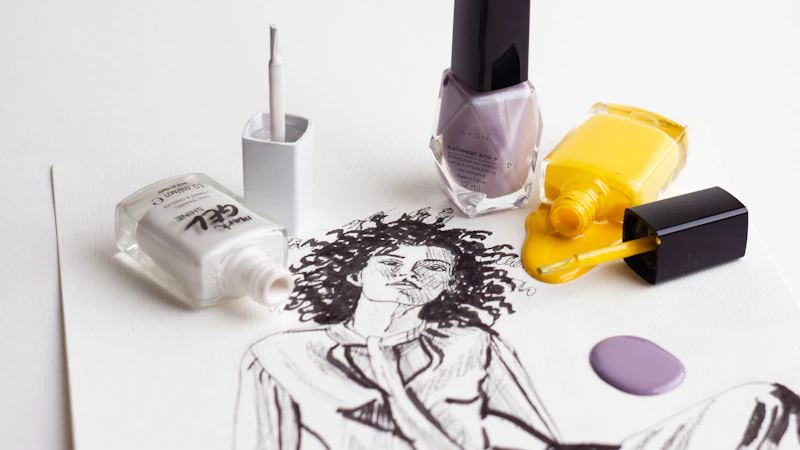
Who owns each step of the workflow?
Assign a named owner for each stage so that the workflow does not depend on goodwill. The design lead owns the brief and the final selection, designers own generation and curation, and a nominated reviewer owns the originality check. Where a company has no in-house legal function, the reviewer should know when to escalate a doubtful image to an adviser. Review the workflow after each season, dropping steps that add nothing and tightening those where problems appeared.
Frequently asked questions
How do designers use AI to create moodboards?
Designers write a structured brief, collect their own references, generate images in a limited number of rounds, then select and combine the results by hand. A 2025 academic paper reports that some studios keep prompt banks alongside traditional collage boards.
Can I use AI-generated moodboard images in a campaign?
You can, but treat them differently from internal boards. Check originality, review tool terms of use, and follow disclosure rules. EU AI Act Article 50 sets transparency duties for synthetic content, with lighter rules for evidently creative works.
Does a generative moodboard reduce originality?
It can. The 2025 design paper warns of a data monoculture that narrows aesthetics. Mixing generated images with your own photography, archive and research, and curating by hand, reduces the risk.
What records should a design team keep?
Keep the structured brief, prompts, tool versions, settings, source references and a note of the human edits and selections. The US Copyright Office looks at human control over expressive elements, so these records support any later authorship claim.
One edition every weekday morning. Read in five minutes. Free for industry professionals.
SOURCES
- Chauvin et al.: Weaving the Future: Generative AI and the Reimagining of Fashion Design (arXiv)
- US Copyright Office: Copyright and Artificial Intelligence, Part 2: Copyrightability
- EU AI Act Explorer: Article 50, Transparency obligations
- European Parliament: Generative AI and Copyright: Training, Creation, Regulation (PE 774.095)